Spot Position Size Calculator: Risk, Stop Loss and Fees
A 1% risk budget can fund a position far larger than 1% of your account. Calculate the quantity and entry cash, then see how stop distance and fees change the size.

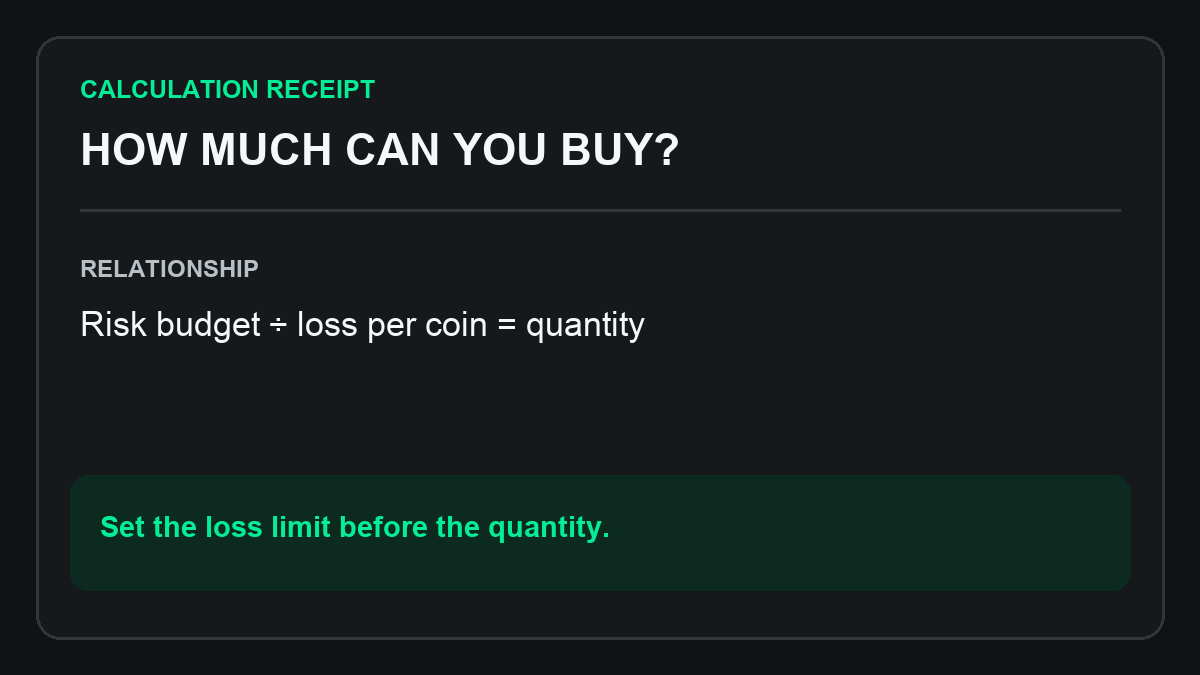
You have picked a stop-loss, but how many coins should you buy? For a long spot trade, position quantity equals the risk budget divided by the loss per coin at the stop, including fees. A 100 USDT risk budget can translate into very different quantities when the stop moves. This spot position size calculator also shows the cash needed to buy the position.
Spot position size calculator with stop loss and fees
Enter the fee for one side as a percentage: for a 0.1% fee, enter 0.1.
Spot risk budget
Calculation
Uses spot entry and stop prices, including both fees. Actual fills may have slippage.
Risk-budget size = (capital × risk percentage / 100) / [entry − stop + (entry + stop) × one-way fee / 100]
How do you calculate spot position size from stop-loss distance?
Start with the amount you are prepared to risk and the loss per coin between entry and the stop. CME's position-sizing guide uses the same starting points: the stop level and the amount at risk. For a spot buy, this calculator adds entry and exit fees to that price difference.
- Risk budget: capital × chosen risk percentage. In the example, 10,000 USDT × 1% = 100 USDT.
- Price loss per coin: entry − stop. An entry of 100 and a stop of 95 give a loss of 5 USDT per coin.
- Fees per coin: (entry + stop) × one-way fee rate. At 0.1% per side, the total is 0.195 USDT.
- Position quantity: 100 ÷ (5 + 0.195) ≈ 19.2493 coins. Buying them, including the entry fee, requires about 1,926.85 USDT.
These outputs answer three different questions: how much loss you budgeted, how many coins that buys, and how much cash the entry requires.
Why does a wider stop-loss mean a smaller position?
Keep the risk budget at 100 USDT, entry at 100 USDT, and the one-way fee at 0.1%. Changing only the stop gives:
| Stop price | Loss per coin, including fees | Position quantity |
|---|---|---|
| 95 USDT | 5.195 USDT | About 19.2493 coins |
| 90 USDT | 10.19 USDT | About 9.8135 coins |
With the same risk budget, a larger loss per coin means buying fewer coins. Choose the stop from the trade's exit rule, then size the position around it.
How does 1% risk per trade differ from a 1% position?
Risk percentage measures the planned loss relative to capital. Position percentage measures the amount committed to the position relative to capital.
In the example, the 100 USDT risk budget is 1% of capital. The position value before fees is about 1,924.93 USDT, or 19.25% of capital. Including the entry fee, the cash required is about 1,926.85 USDT, or 19.27%. The risk budget and the entry cash describe different amounts.
For leveraged trades, position value and margin also need to be separated. See how allocation, leverage, and margin affect order size. This calculator uses a cash-funded spot buy.
Why does the position size calculator show insufficient cash?
A very tight stop reduces the loss per coin, so the same risk budget produces a larger quantity. The cash needed to buy it can exceed your available capital.
Compare required cash with capital, then check the risk percentage and prices. If cash is insufficient, reduce the risk budget or quantity and recalculate. The displayed risk-based quantity is not automatically capped to your cash balance.
Spot position sizing FAQ
Should position sizing include fees on both sides?
Yes. This calculator includes the entry fee and the fee for selling at the stop in its loss per coin. It uses the same percentage rate for both sides. Ignoring fees gives a larger quantity for the same risk budget. See how entry and exit fees reduce trading profit.
Does a 100 USDT risk budget guarantee a maximum loss of 100 USDT?
The 100 USDT figure follows from the entered entry, stop, and fee rate. A gap or a worse fill can increase the actual loss. Read how slippage changes trading results for the price difference involved.
Should I change the stop-loss when I change the quantity?
Set the exit rule and cash allocation explicitly. The stop changes the loss per coin; quantity changes the total loss. Recalculate when either changes so the position still matches your plan.
Can I use this calculator for perpetual futures or short positions?
This formula is for a long spot position bought with cash. Futures and shorts require their own treatment of contract size, margin, leverage, funding, or borrowing costs.
Why is the calculated quantity different from the exchange's order size?
Exchanges can require a minimum quantity, a quantity step, and a minimum order value. After adjusting the quantity to those rules, check the loss and entry cash again. Different entry and exit fee rates can also change the result.
What should you do with the position-size result?
Keep the inputs, result, and exit rule together. AlgoRover Research can help explain the relationship between risk budget, price distance, and fees from the research materials you provide, and identify the next checks.
Bring the copied result and your trade plan into the conversation to work through quantity, costs, and cash allocation.
Work through your position plan with AlgoRover Research
Calculation references: CME: risk budget and position sizing; TradingView: account size, risk amount, and stop distance. The spot calculation above includes fees on both sides.
For research and education, not investment advice. Example inputs are hypothetical; choose the risk percentage for your own plan.